Features

Every tool between the field and the truck

Set up your brands and products once, print compliant labels every day, and ship with the BOLs and ASN data your customers expect.

6 tools

Set up once

Your company, brand owners, brands, products and lot codes, entered once and picked from drop-downs every day after.

Settings

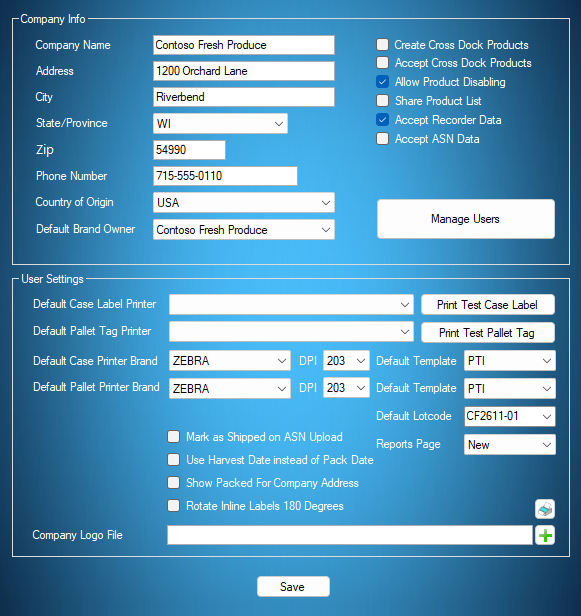
Settings holds the company information several PTI label templates print. From here you can share your product list with other companies, protect it with a password so only verified users reach your products, accept ASN data from companies packing under your brands, and add users to your account.

User Settings picks the default printer for case labels and for pallet tags and prints test labels to prove the connection. Two label printers are ideal, one for case labels and one for pallet tags, but one works. Set your default printer brand, DPI and templates so you never choose them again, print a harvest date instead of a pack date, rotate case labels, and add your logo for the custom BOL.
Try the interactive tutorial
Settings
The myPTI Settings screen with sample data

Brand owners

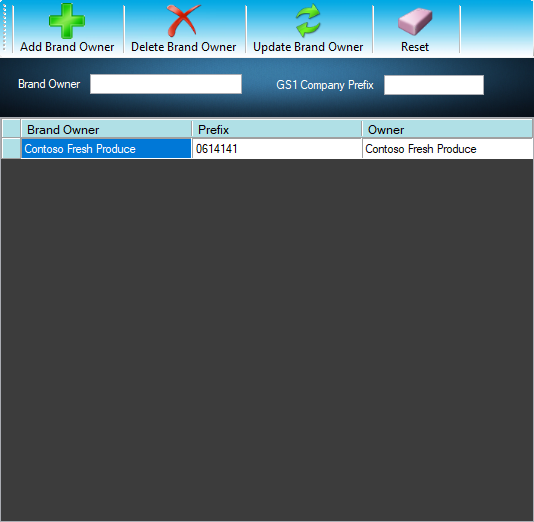
Add every brand owner whose packaging you use. Each one has a unique GS1 Company Prefix that becomes part of the pallet tag's SSCC serial number for traceability. Create brand owners yourself, or import them automatically when you connect to another company's product list.

Try the interactive tutorial
Manage Brand Owners
The myPTI Brand owners screen with sample data

Brands

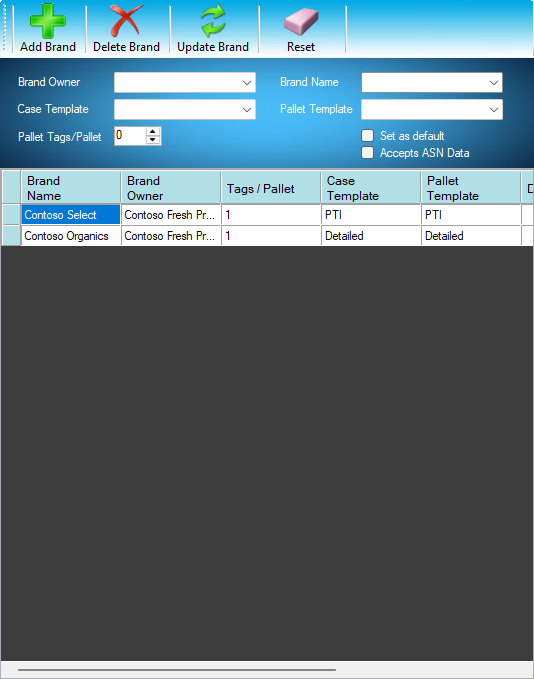
Add every brand of packaging you use. Each brand is linked to a brand owner and filters your product list, so the product you need is always a couple of clicks away.

Try the interactive tutorial
Manage Brands
The myPTI Brands screen with sample data

Products

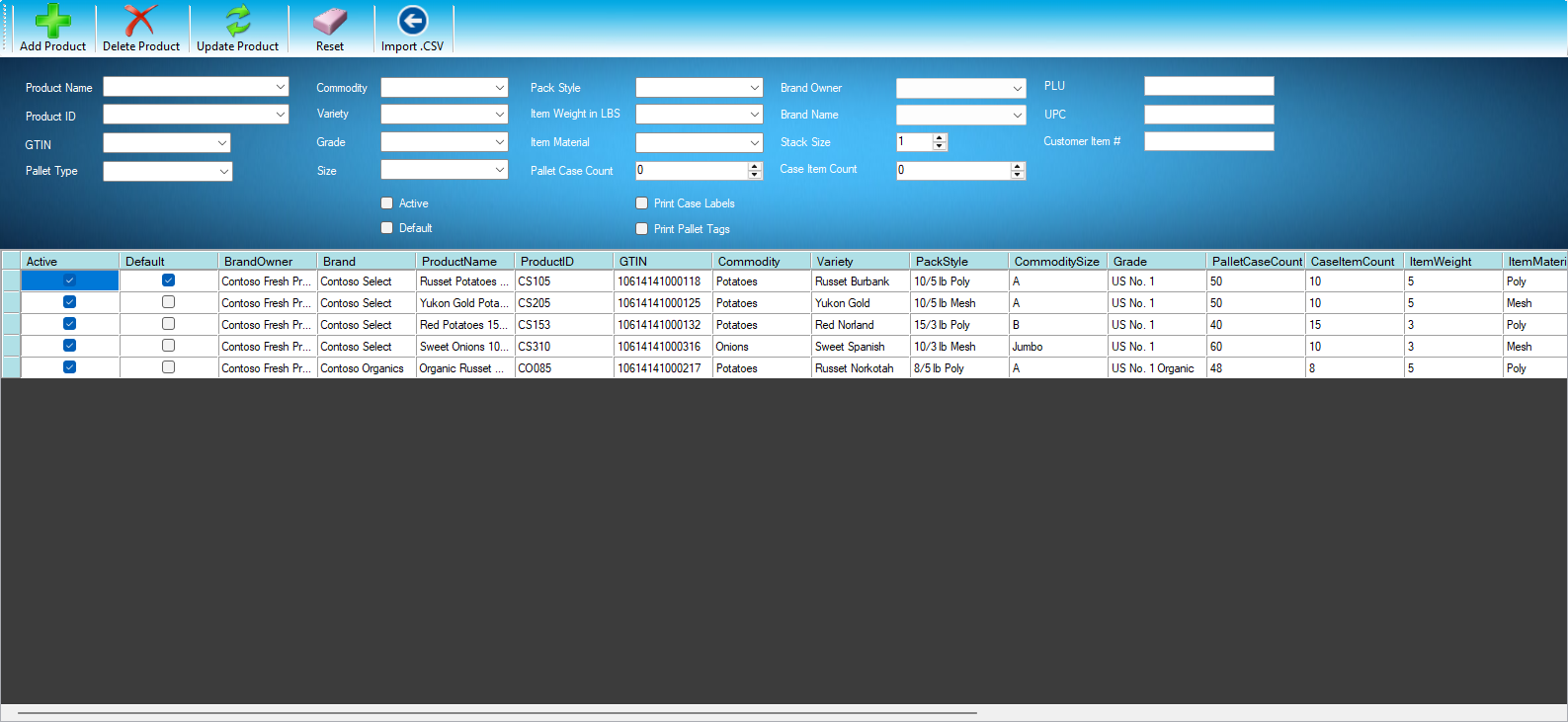
Manage every product you pack. For each product you can set:

  • Product name and ID
  • GTIN (Global Trade Item Number)
  • Pallet type, commodity, size, variety and grade
  • Active and default flags
  • Pack style, item weight and material
  • Pallet case count and case item count
  • Brand owner and brand
  • Stack size (single, double, triple)
  • Amazon item #, Whole Foods code and customer product ID
  • PLU and 12-digit UPC
  • Case label and pallet tag templates
  • Print case labels and print pallet tags
Try the interactive tutorial
Manage Products
The myPTI Products screen with sample data

Product lists

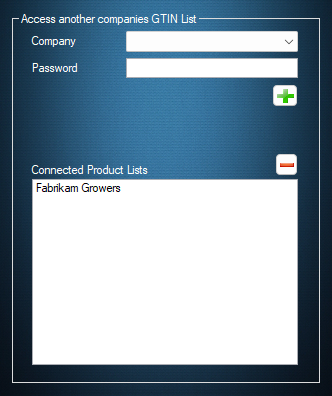
Connect to the product lists of other companies you pack for. Share your own list and anyone you give the password to can use your products.

Packing for a company whose list isn't in myPTI yet? Have them email us and we'll get their product list uploaded.

Product lists already in myPTI

  • Aldi
  • Bushmans' Inc.
  • Bushwick
  • Eagle Eye
  • Fresh Solutions
  • Gordon Foods
  • Jetro
  • Little Potato Company
  • Potandon Produce
  • RPE (Russet Potato Exchange)
  • Sterman Masser
  • Target
  • WADA
Try the interactive tutorial
Product List Access
The myPTI Product lists screen with sample data

Lot codes

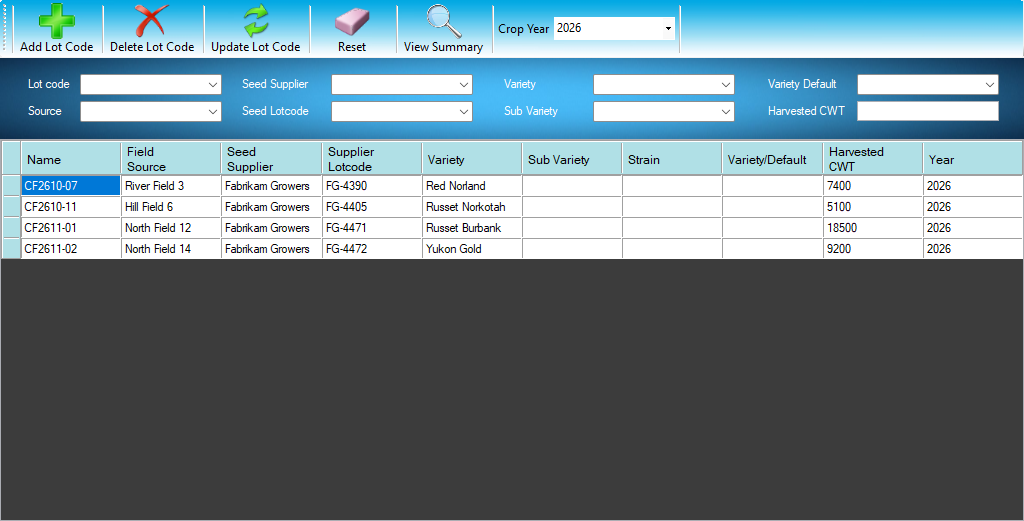
Enter and manage your lot codes once, then pick them from a drop-down when you build an order. Set a default lot code for each product variety and myPTI selects it for you. The lot code prints on every case label and pallet tag, so a recall can be traced back to it.

Try the interactive tutorial
Manage Lot Codes
The myPTI Lot codes screen with sample data

4 tools

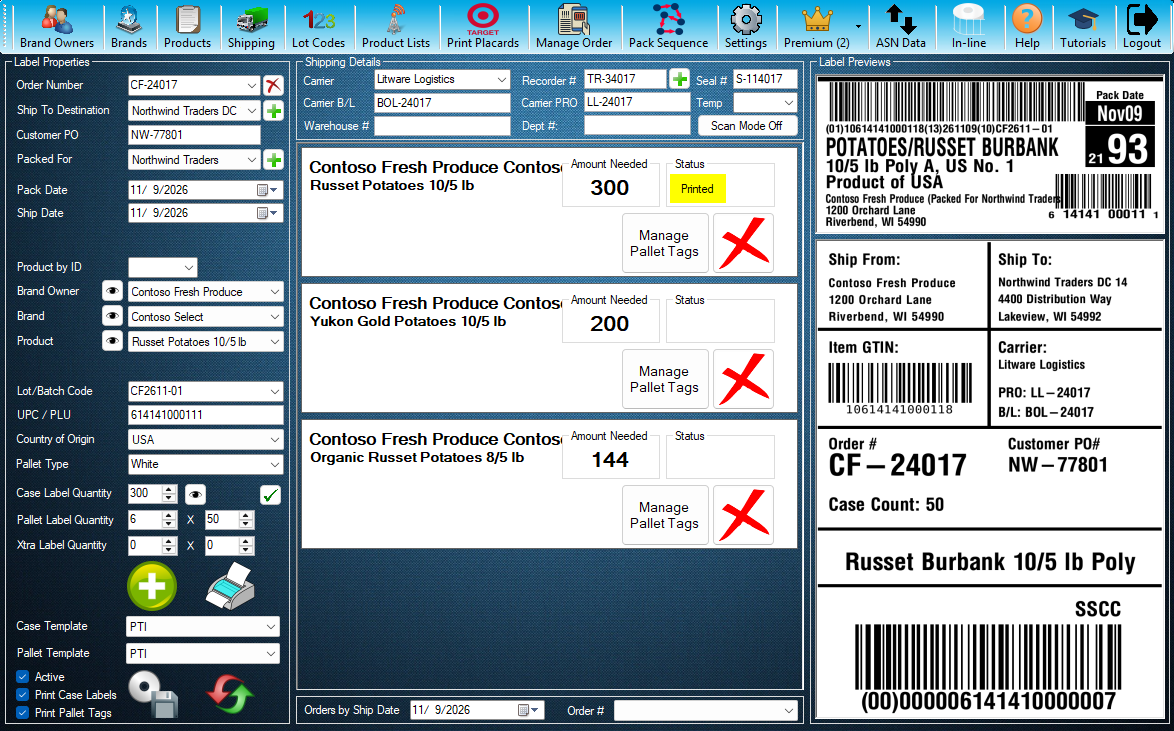
Build the order, check the preview, print case labels and SSCC pallet tags with the right template for every customer.

Orders and labels

From the main screen, pre-enter every product an order needs without printing right away. Several templates and the shipping BOL use this information.

For each product on the order you can print just the case labels, just the pallet tags or both at once, remove it from the order, or manage its labels. What the preview shows is what prints.

Each order holds

  • Order number
  • Ship-to destination
  • Customer PO
  • Who you're packing for
  • Pack date and ship date
  • Lot code
  • UPC / PLU
  • Label quantities
  • Templates to use
Try the interactive tutorial
myPTI v4 Logged in as Dana Whitfield (Contoso Fresh Produce)
The myPTI Orders and labels screen with sample data

Manage labels

Once case labels and pallet tags are printed, you can still:

  • Change the pack date
  • Change the ship date
  • Reprint case labels
  • Reprint pallet tags
  • Remove a pallet from the order
Try the interactive tutorial

Target placards

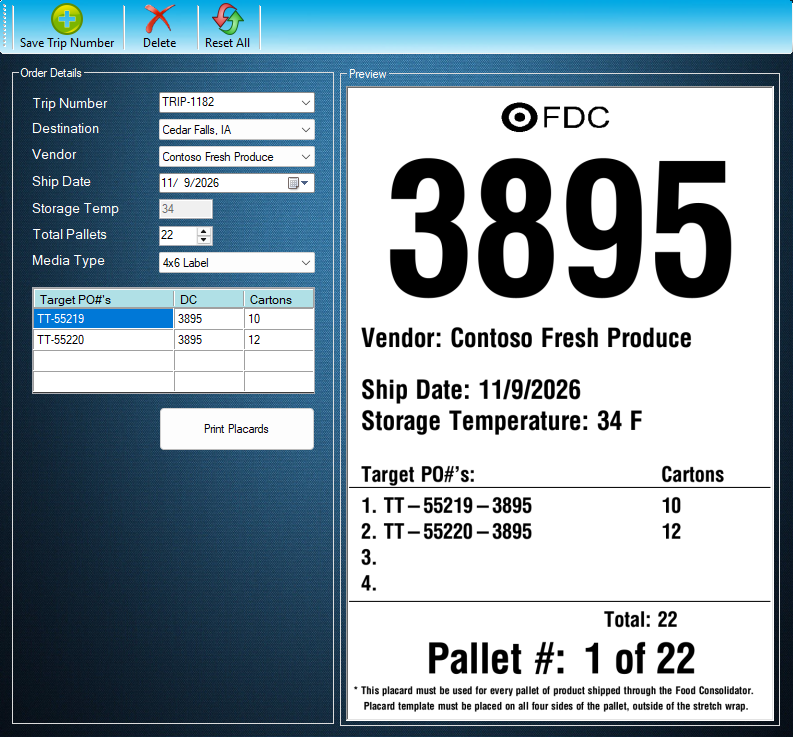
Print Placards makes the placards for your Target orders. Enter the trip number, its vendor, destination, ship date and storage temperature, one row for each Target PO with its DC and carton count, and the total pallets. Check the preview, then print on 4x6 labels or 8.5 x 11 paper. Save the trip to pick it again later.

Try the interactive tutorial
Print Target Placards
The myPTI Target placards screen with sample data

In-line printing

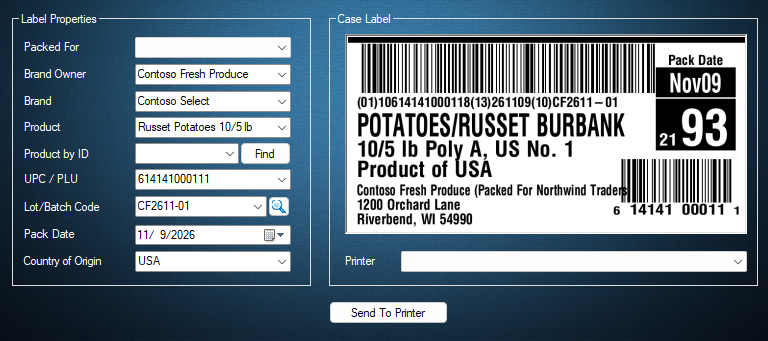
Pick a product line on the order and In-line fills in its details: packed-for company, brand owner, brand, product and lot code. Choose the in-line printer, check the case label preview and send the labels to the printer.

Try the interactive tutorial
Inline Printing
The myPTI In-line printing screen with sample data

5 tools

Pack, ship and prove it

See the day's packing plan, ship with a BOL, send ASN data before the truck arrives and keep the records your customers ask for.

Pack sequence

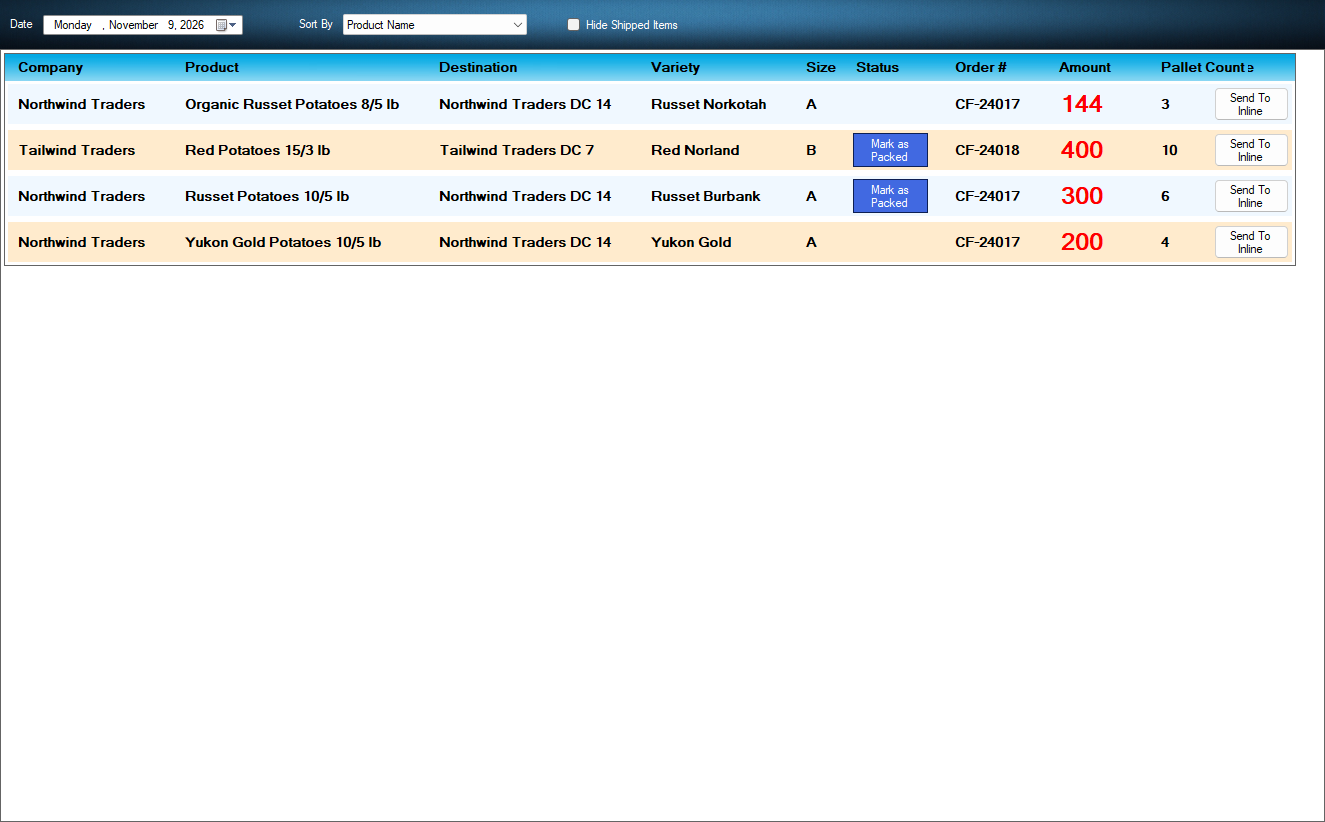
Pack Sequence lists everything to pack for the day you pick. Sort it by product name or order number, or choose User Defined and move items up and down into your own order. Tick Hide Shipped Items and only the work that is left shows.

Try the interactive tutorial
Pack Sequence by Date
The myPTI Pack sequence screen with sample data

Shipping and BOL

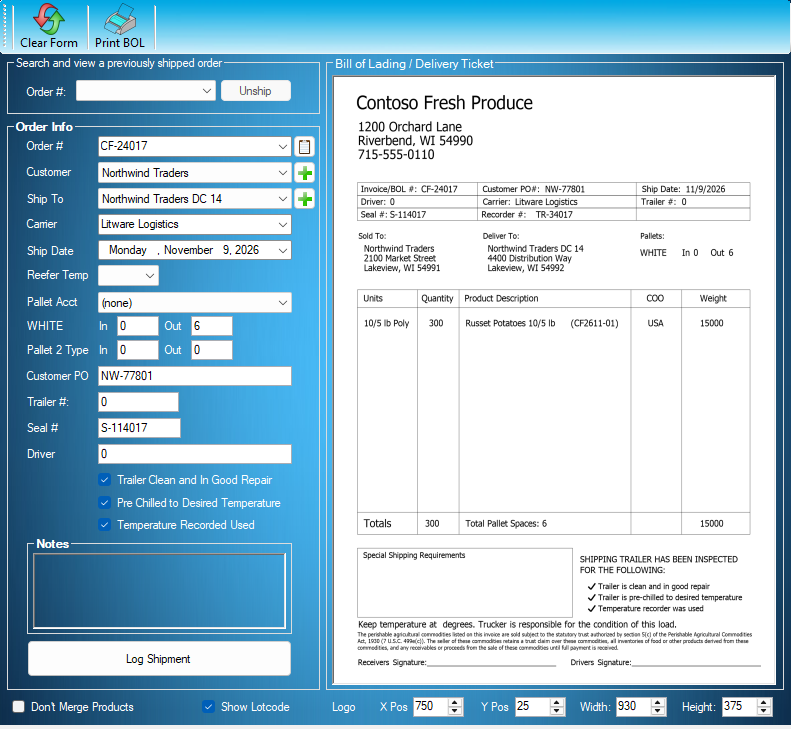
The shipping screen builds a BOL from each order, with your company logo if you want it. View or print a BOL any time.

Each BOL carries

  • Order number, customer and customer PO
  • Ship-to destination and ship date
  • Carrier and reefer temperature
  • Pallets in and out
  • Trailer # and seal #
  • Driver's name
  • Trailer checks: clean, in good repair, pre-chilled
  • Notes
  • Your logo, sized and placed as you like
Try the interactive tutorial
Shipping
The myPTI Shipping and BOL screen with sample data

ASN data

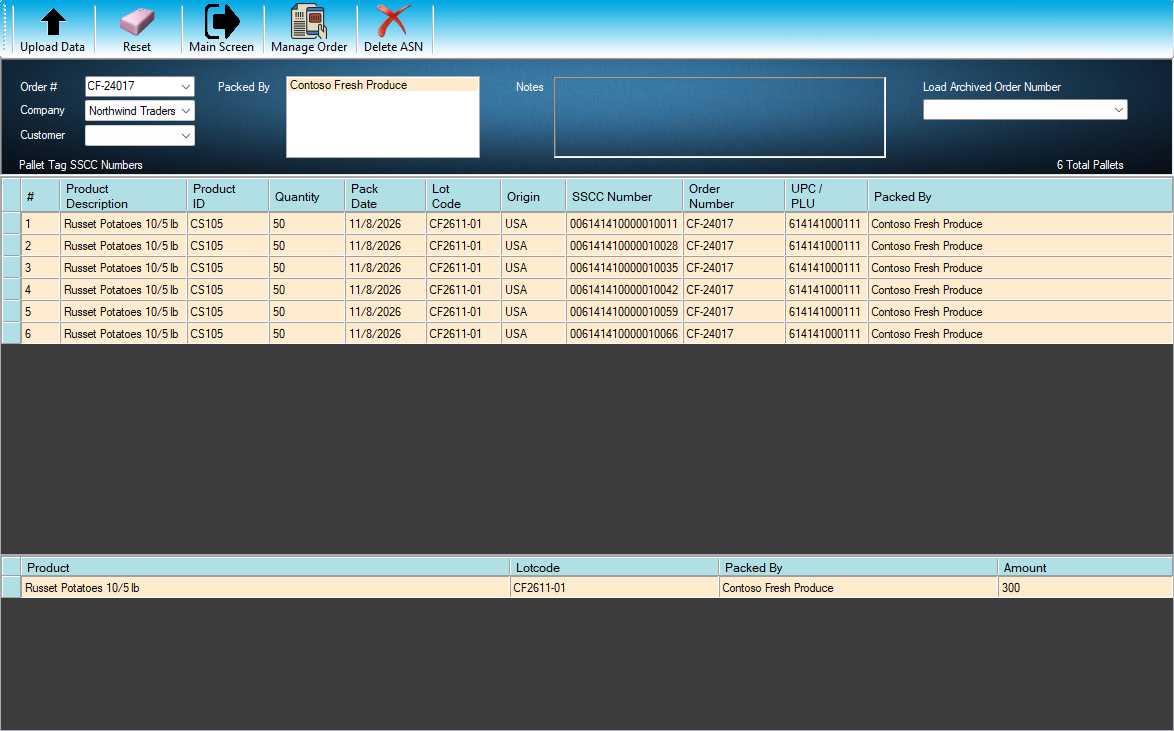
ASN retail customers require the packer or sales organization to send an Advance Shipment Notice before an order reaches the distribution center. Each ASN manifest holds the pallet tag information and SSCC of every pallet, which the customer compares with the pallets on the truck to make sure nothing was tampered with on the way.

myPTI builds ASN manifests for you. Export the data for your customer, or, if you pack another company's product, upload it to them. Sales organizations with several packers under their brands receive every packer's ASN data in one place.

Try the interactive tutorial
myPTI v4.0 Logged in as Dana Whitfield (Contoso Fresh Produce)
The myPTI ASN data screen with sample data

Temp recorders

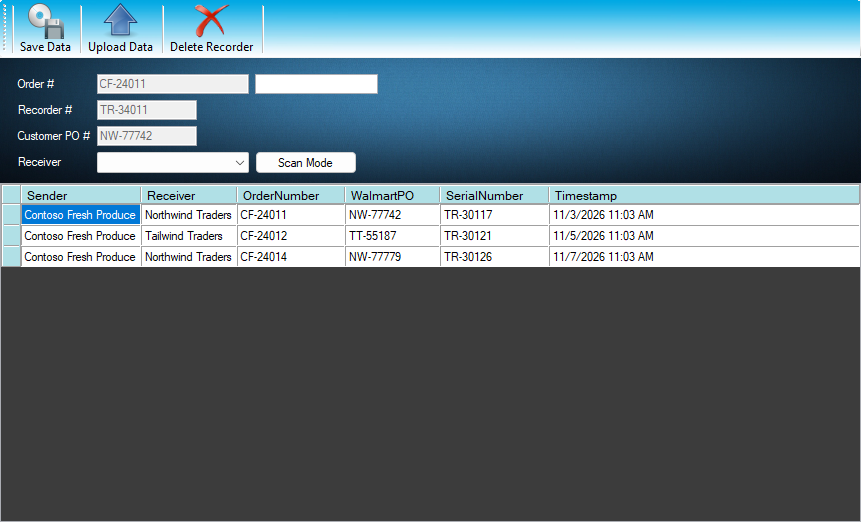
Record the temperature recorder that rides with an order. In Scan Mode, scan the order, PO and recorder barcodes into one box and myPTI puts each number where it belongs, or switch to Manual Mode and type them. Save the recorder to the order, then upload it to the receiving company. Each order's recorder uploads once, and uploaded recorders are listed for you.

Try the interactive tutorial
Upload Temperature Recorder Data
The myPTI Temp recorders screen with sample data

Reports

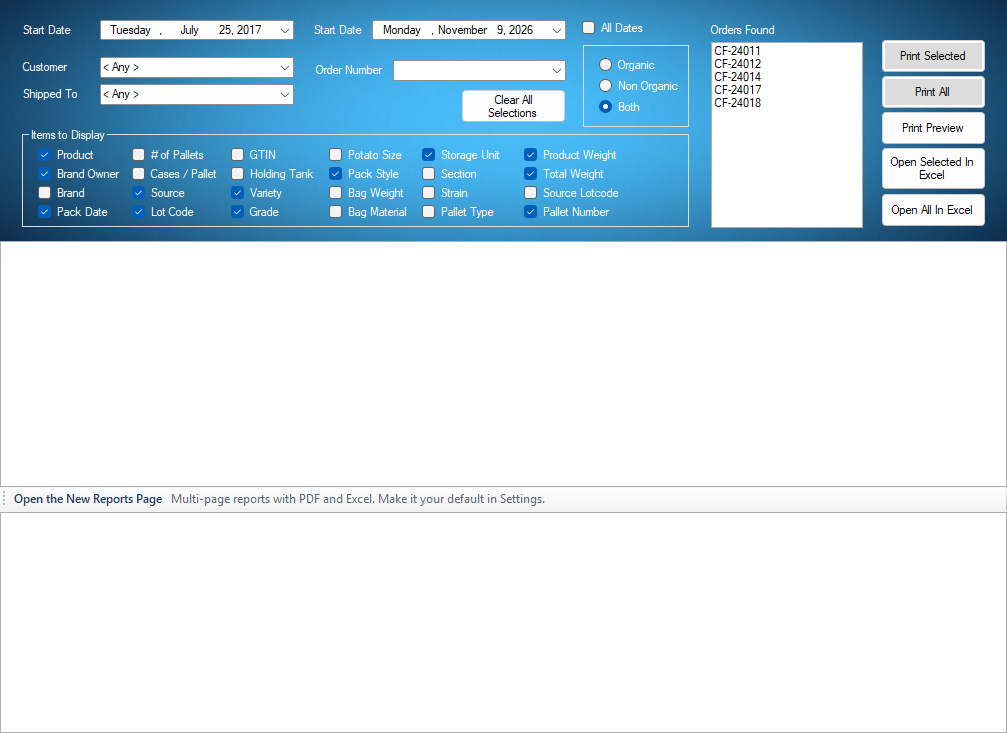
Open Reports from Shipping and find orders by number, customer or date, choose what to show, then preview, print or open them in Excel. myPTI Premium adds a new Reports page with print, preview, PDF and Excel business reports.

Try the interactive tutorial
Reports
The myPTI Reports screen with sample data

Ready to print your first compliant label?

Email us for a free trial account. We'll set you up, and the tutorials take it from there.