Import orders from PDFs
Turn your customers' order PDFs into myPTI orders: queue them, check what myPTI read, link the products and import.
- 9 steps
- Also built into myPTI
- Premium feature
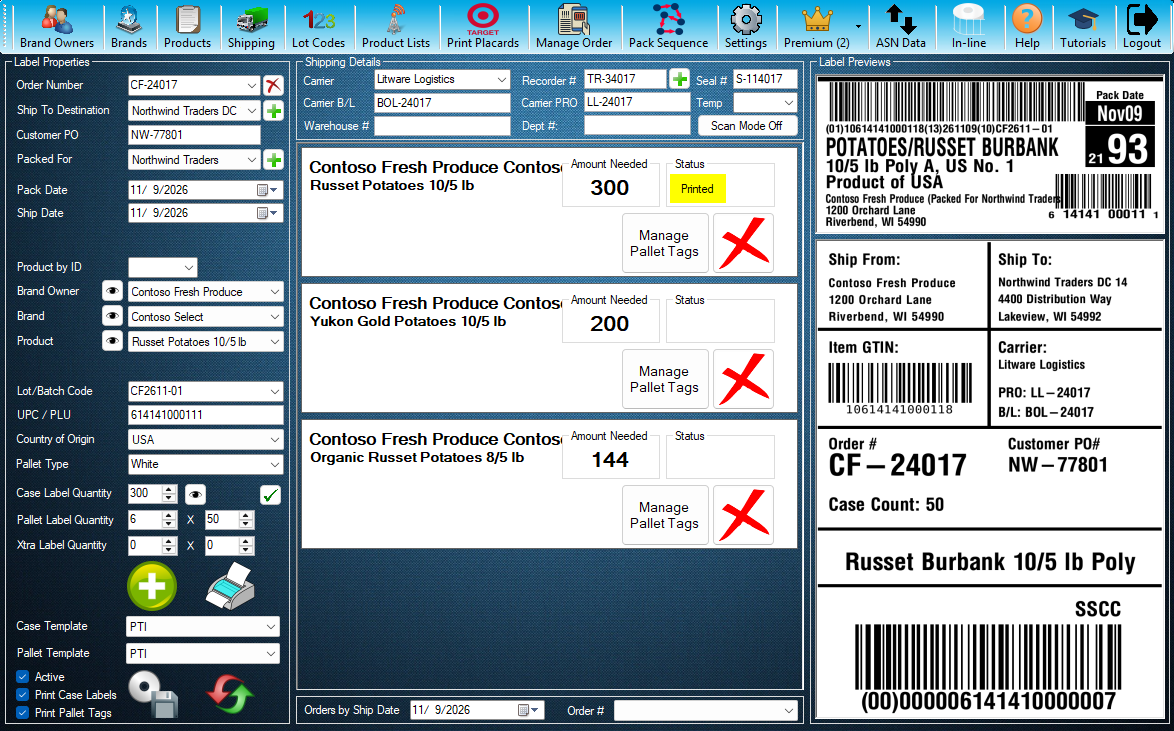
Step 1 / 9
Import Order(s)
Import Order(s) is a myPTI Premium feature. It is in the Premium menu. Open Premium to go on.
Click the highlighted control, or press Next.
Step 1 of 9: Import Order(s)
All 9 steps
Every step, as text
The same steps as the interactive tutorial above. Select a step to open it there.
- 01Import Order(s)Import Order(s) is a myPTI Premium feature. It is in the Premium menu. Open Premium to go on.
- 02Open Import Order(s)Press Import Order(s). Without Premium you can still look around: Import Order(s) opens just for this tutorial and closes when it ends.
- 03Add PDFsAdds your customers' order PDFs to your company's import queue. You can also drag PDFs onto this window.
- 04Process FileOpens the next PDF in the queue, reads it and fills in the order for you. With a file open, it reads that PDF again and asks first if your changes would be lost. A scanned PDF can take a few seconds.
- 05Check the orderCheck what myPTI read against the PDF page and fix anything that is wrong. Fields marked * must be filled in before you can import.
- 06The PDF pageThe page myPTI read, so you can check each field. Use Previous and Next for a PDF with more than one page.
- 07ProductsEach product line from the PDF. Press Link to choose its myPTI product; myPTI remembers it for that customer's next orders. Untick Import to leave a line out.
- 08View ListLists every PDF in the queue, so you can open one now or remove it.
- 09Import OrderCreates the order the same way the main screen does, then opens the next PDF. If the order number is used, myPTI asks first. Close this window when you are done.
Keep going
Up next
- Premium
Premium features
Preview a print run
See the case label, the first and last pallet tags and the next serials before you print. Pick an order and a product first.
9 stepsStart - Premium
Premium features
Keep a to-do list for your crew
Add, edit and delete shared tasks, and see who added each one and when.
8 stepsStart - Premium
Premium features
Send and read messages
Send messages and files to your team, your company or myPTI Support, and file what you receive.
9 stepsStart
Ready to print your first compliant label?
Email us for a free trial account. We'll set you up, and the tutorials take it from there.